 Sally Home Connect
Lights and plugs
Switch on, switch off and dim with a single gesture. One button turns the whole house on or off at once.
One app for the whole house, on phone, tablet and computer. Every feature works without the Internet.
Switch on, switch off and dim with a single gesture. One button turns the whole house on or off at once.
Raise, lower or stop each shutter, or all of them together. Sally can close them by itself at sunset.
Electric radiators with pilot wire: comfort, eco, frost protection or off, room by room, with the power used.
Choose the comfort hours for each day of the week. The rest of the time, Sally turns the heating down by itself.
“When… if… then…”: at a set time, at sunrise or sunset, or when a sensor reacts.
“I'm leaving”, “Movie night”, “Good night”, “Wake up”: several devices set with a single button. You can create your own.
Consumption right now, for the day, the week and the month, device by device, with the cost in euros.
Home, away, night or holiday. On holiday, Sally can switch on a few lamps in the evening so the house looks lived in.
Temperature, motion, door opening, water leak, smoke: Sally shows their status and uses them in routines.
Leak, smoke, low battery, a device that stops responding: Sally reports it and keeps a record of what happened.
Your whole home fits in a single file. It lets you reinstall everything without redoing the settings.
Five colour themes, four display sizes and five languages: French, English, Spanish, Italian and German.
“Turn on the living room light”, “close the shutters”, “movie night”: Sally understands your voice without the Internet. Nothing you say leaves the house. When you add a device, it even asks you out loud which room to put it in. In French only for now.
A battery-free switch can control a shutter, a lamp or a plug. Sally asks you which one, you press its buttons, and it's linked.
The app's Help tab explains everything, topic by topic: adding a device, talking to Sally, creating a routine, backing up your home.
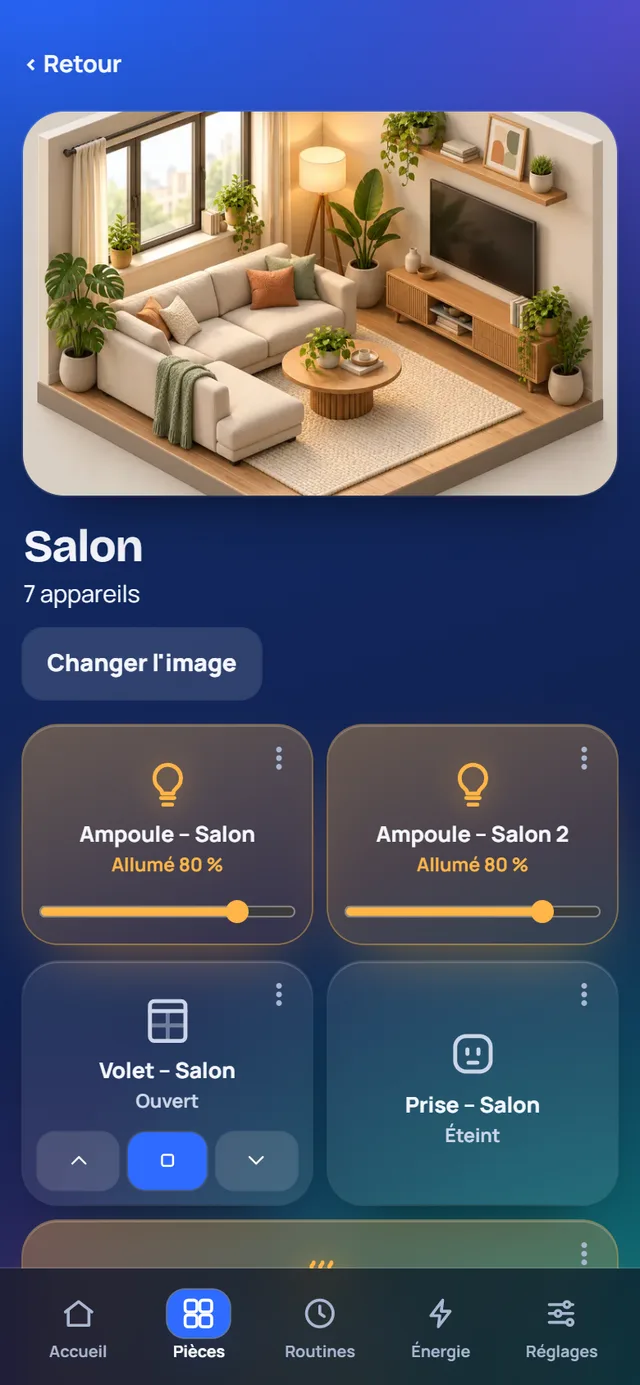
Each room has its own picture and devices. The picture lights up when a lamp is on there, and darkens when everything is off: you see the state of the house at a glance.
Sally doesn't need it. A single setting, off by default, allows it to look up one piece of public information.
As long as you don't turn it on, Sally never accesses the Internet. Everything else works exactly the same.
Once allowed, Sally shows the weather for your town. Only the location of the chosen town is sent, nothing about your home.
The Windows beta is available: a full 30-day trial, no account and no credit card. A demo is included so you can explore everything without any hardware.